Answer Area
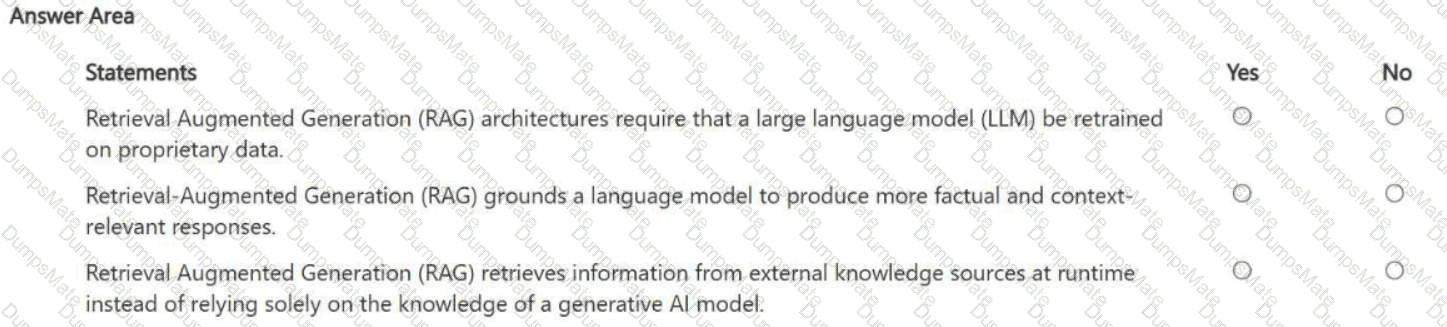
Retrieval Augmented Generation (RAG) architectures require that a large language model (LLM) be retrained on proprietary data. Answer: No
Retrieval-Augmented Generation (RAG) grounds a language model to produce more factual and context-relevant responses. Answer: Yes
Retrieval Augmented Generation (RAG) retrieves information from external knowledge sources at runtime instead of relying solely on the knowledge of a generative AI model. Answer: Yes
1) No — RAG does not require retraining or fine-tuning the base LLM on proprietary data. The defining idea of RAG is to keep the model as-is and instead supply it with relevant context retrieved from trusted sources at inference time. Fine-tuning can be optional for style or specialized behavior, but it is not a requirement for RAG.
2) Yes — RAG is a grounding approach. By retrieving authoritative passages (policies, manuals, product specs, internal knowledge bases) and injecting them into the prompt context, the model’s answer is constrained by evidence that is relevant to the user’s question. This improves factuality and domain relevance and helps reduce hallucinations.
3) Yes — RAG explicitly depends on runtime retrieval from external knowledge sources, such as indexed documents, databases, or enterprise repositories. The retrieval layer finds the best matching content for the query, and the generation layer uses that retrieved content to craft the response. This is why RAG is valuable when information changes frequently: you update the source documents/index rather than retraining the LLM.
Overall, RAG is best understood as an architecture pattern that combines search/retrieval + generation, improving accuracy and freshness without the cost and risk of retraining the underlying model each time the knowledge base changes.