Spring Sale - 70% Discount Offer - Ends in 0d 00h 00m 00s - Coupon code: dm70dm

CKS Certified Kubernetes Security Specialist (CKS) Questions and Answers

Questions 4

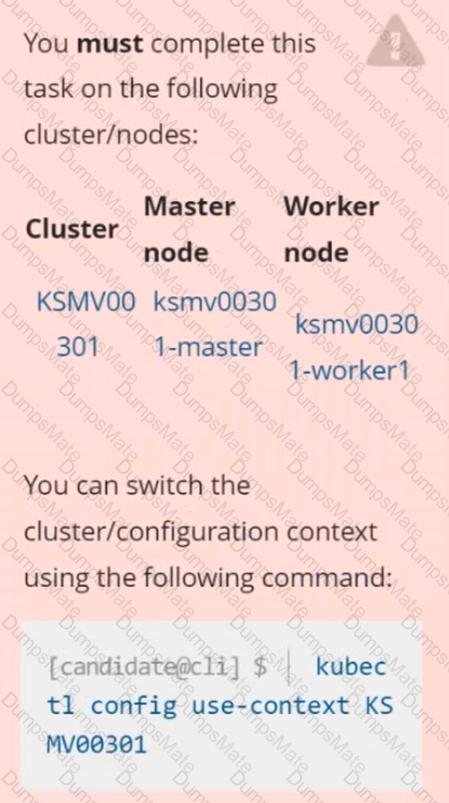
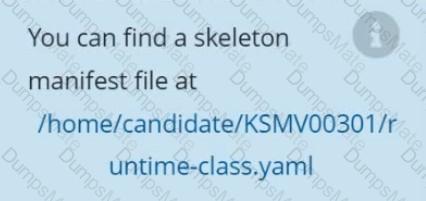
Create a RuntimeClass named untrusted using the prepared runtime handler named runsc.

Create a Pods of image alpine:3.13.2 in the Namespace default to run on the gVisor runtime class.

Options:

Buy Now
Questions 5

CKS Question 5

Context

This cluster uses containerd as CRI runtime.

Containerd's default runtime handler is runc. Containerd has been prepared to support an additional runtime handler, runsc (gVisor).

Task

Create a RuntimeClass named sandboxed using the prepared runtime handler named runsc.

Update all Pods in the namespace server to run on gVisor.

CKS Question 5

Options:

Buy Now
Questions 6

On the Cluster worker node, enforce the prepared AppArmor profile

    #include


    profile nginx-deny flags=(attach_disconnected) {

      #include <abstractions/base>


      file,


      # Deny all file writes.

      deny /** w,

    }

    EOF'

Edit the prepared manifest file to include the AppArmor profile.

    apiVersion: v1

    kind: Pod

    metadata:

      name: apparmor-pod

    spec:

      containers:

      - name: apparmor-pod

        image: nginx

Finally, apply the manifests files and create the Pod specified on it.

Verify: Try to make a file inside the directory which is restricted.

Options:

Buy Now
Questions 7

Using the runtime detection tool Falco,  Analyse the container behavior for at least 20 seconds, using filters that detect newly spawning and executing processes in a single container of Nginx.

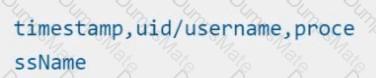
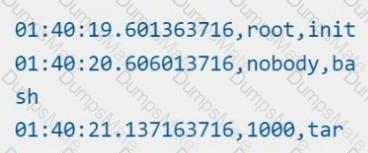
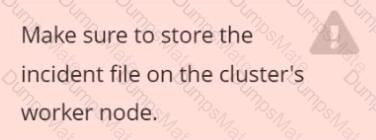
store the incident file art /opt/falco-incident.txt, containing the detected incidents. one per line, in the format

[timestamp],[uid],[processName]

Options:

Buy Now
Questions 8

Create a network policy named allow-np, that allows pod in the namespace staging to connect to port 80 of other pods in the same namespace.

Ensure that Network Policy:-

1. Does not allow access to pod not listening on port 80.

2. Does not allow access from Pods, not in namespace staging.

Options:

Buy Now
Questions 9

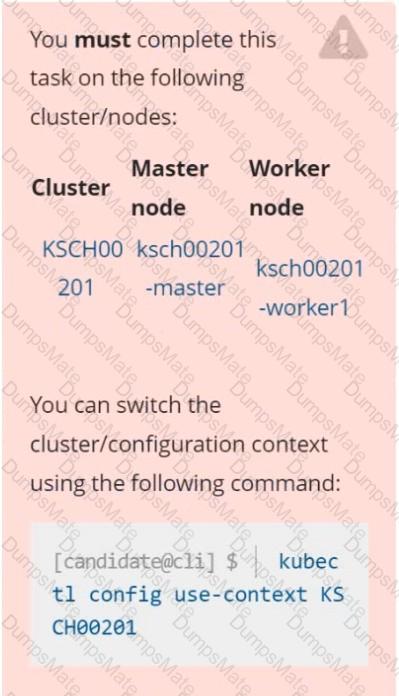
You can switch the cluster/configuration context using the following command:

[desk@cli] $ kubectl config use-context prod-account 

Context:

A Role bound to a Pod's ServiceAccount grants overly permissive permissions. Complete the following tasks to reduce the set of permissions.

Task:

Given an existing Pod named web-pod running in the namespace database.

1. Edit the existing Role bound to the Pod's ServiceAccount test-sa to only allow performing get operations, only on resources of type Pods.

2. Create a new Role named test-role-2 in the namespace database, which only allows performing update operations, only on resources of type statuefulsets.

3. Create a new RoleBinding named test-role-2-bind binding the newly created Role to the Pod's ServiceAccount.

Note: Don't delete the existing RoleBinding.

Options:

Buy Now
Questions 10

Enable audit logs in the cluster, To Do so, enable the log backend, and ensure that

    1. logs are stored at /var/log/kubernetes/kubernetes-logs.txt.

    2. Log files are retained for 5 days.

    3. at maximum, a number of 10 old audit logs files are retained.

Edit and extend the basic policy to log:

    1. Cronjobs changes at RequestResponse

    2. Log the request body of deployments changes in the namespace kube-system.

    3. Log all other resources in core and extensions at the Request level.

    4. Don't log watch requests by the "system:kube-proxy" on endpoints or

Options:

Buy Now
Questions 11

CKS Question 11

CKS Question 11

Two tools are pre-installed on the cluster's worker node:

CKS Question 11sysdig

CKS Question 11falco

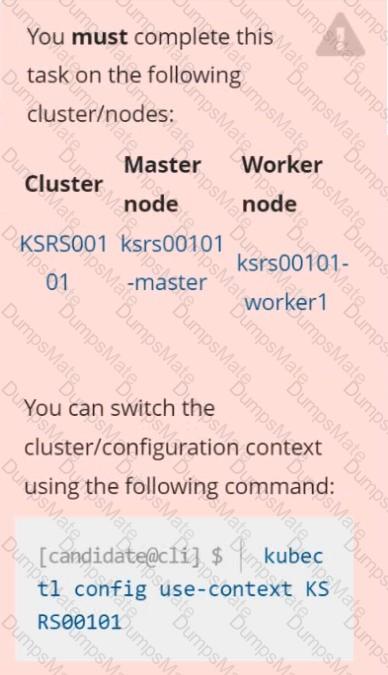
Using the tool of your choice (including any non pre-installed tool), analyze the container's behavior for at least 30 seconds, using filters that detect newly spawning and executing processes.

Store an incident file at /opt/KSRS00101/alerts/details, containing the detected incidents, one per line, in the following format:

CKS Question 11

The following example shows a properly formatted incident file:

CKS Question 11

CKS Question 11

CKS Question 11

Options:

Buy Now
Questions 12

Documentation Secrets, TLS Secrets, Volumes

You must connect to the correct host . Failure to do so may result in a zero score.

[candidate@base] $ ssh cks000m40

Path

Key

Context

You must complete securing access to a web server using SSL files stored in a TLS Secret .

Task

Create a TLS Secret named clever-cactus in the clever-cactus namespace for an existing Deployment named clever-cactus.

Use the following SSL files:

File

Certificate /home/candidate/clever-cactus/web.k8s.local.crt

/home/candidate/clever-cactus/web.k8s.local.key

The Deployment is already configured to use the TLS Secret.

Do not modify the existing Deployment.

Failure to do so may result in a reduced score.

Options:

Buy Now
Questions 13

Cluster: scanner

Master node: controlplane

Worker node: worker1

You can switch the cluster/configuration context using the following command:

[desk@cli] $ kubectl config use-context scanner 

Given:

You may use Trivy's documentation.

Task:

Use the Trivy open-source container scanner to detect images with severe vulnerabilities used by Pods in the namespace nato.

Look for images with High or Critical severity vulnerabilities and delete the Pods that use those images.

Trivy is pre-installed on the cluster's master node. Use cluster's master node to use Trivy.

Options:

Buy Now
Questions 14

Create a PSP that will prevent the creation of privileged pods in the namespace.

Create a new PodSecurityPolicy named prevent-privileged-policy which prevents the creation of privileged pods.

Create a new ServiceAccount named psp-sa in the namespace default.

Create a new ClusterRole named prevent-role, which uses the newly created Pod Security Policy prevent-privileged-policy.

Create a new ClusterRoleBinding named prevent-role-binding, which binds the created ClusterRole prevent-role to the created SA psp-sa.

Also, Check the Configuration is working or not by trying to Create a  Privileged pod, it should get failed.

Options:

Buy Now
Questions 15

Fix all issues via configuration and restart the affected components to ensure the new setting takes effect.

Fix all of the following violations that were found against the API server:-


     a. Ensure that the RotateKubeletServerCertificate argument is set to true.

      b. Ensure that the admission control plugin PodSecurityPolicy is set.

    c. Ensure that the --kubelet-certificate-authority argument is set as appropriate.

Fix all of the following violations that were found against the Kubelet:-


      a. Ensure the --anonymous-auth argument is set to false.

     b. Ensure that the --authorization-mode argument is set to Webhook.

Fix all of the following violations that were found against the ETCD:-


    a. Ensure that the --auto-tls argument is not set to true

    b. Ensure that the --peer-auto-tls argument is not set to true

    Hint: Take the use of Tool Kube-Bench

Options:

Buy Now
Questions 16

You must complete this task on the following cluster/nodes: Cluster: immutable-cluster

Master node: master1

Worker node: worker1

You can switch the cluster/configuration context using the following command:

[desk@cli] $  kubectl config use-context immutable-cluster 

Context: It is best practice to design containers to be stateless and immutable.

Task:

Inspect Pods running in namespace prod and delete any Pod that is either not stateless or not immutable.

Use the following strict interpretation of stateless and immutable:

1. Pods being able to store data inside containers must be treated as not stateless. 

Note: You don't have to worry whether data is actually stored inside containers or not already.

2. Pods being configured to be privileged in any way must be treated as potentially not stateless or not immutable.

Options:

Buy Now
Questions 17

Documentation Deployments, Pods, Falco

You must connect to the correct host . Failure to do so may result in a zero score.

[candidate@base] $ ssh cks000026

Context

A Pod is misbehaving and poses a security threat to the system.

Task

One of the Pods belonging to the application ollama is misbehaving. It is directly accessing the system's memory reading from the sensitive file /dev/mem.

First, identify the misbehaving Pod accessing /dev/mem.

The cluster uses the Docker Engine as its container runtime . If needed, use the docker command to troubleshoot running containers.

Next, identify the Deployment managing the misbehaving Pod and scale it to zero replicas.

Do not modify the Deployment except for scaling it down.

Do not modify any other Deployments .

Do not delete any Deployments.

Options:

Buy Now
Questions 18

CKS Question 18

Context

A Role bound to a Pod's ServiceAccount grants overly permissive permissions. Complete the following tasks to reduce the set of permissions.

Task

Given an existing Pod named web-pod running in the namespace security.

Edit the existing Role bound to the Pod's ServiceAccount sa-dev-1 to only allow performing watch operations, only on resources of type services.

Create a new Role named role-2 in the namespace security, which only allows performing update

operations, only on resources of type namespaces.

Create a new RoleBinding named role-2-binding binding the newly created Role to the Pod's ServiceAccount.

CKS Question 18

Options:

Buy Now
Questions 19

Documentation Namespace, NetworkPolicy, Pod

You must connect to the correct host . Failure to do so may result in a zero score.

[candidate@base] $ ssh cks000031

Context

You must implement NetworkPolicies controlling the traffic flow of existing Deployments across namespaces.

Task

First, create a NetworkPolicy named deny-policy in the prod namespace to block all ingress traffic.

The prod namespace is labeled env:prod

Next, create a NetworkPolicy named allow-from-prod in the data namespace to allow ingress traffic only from Pods in the prod namespace.

Use the label of the prod names & Click to copy traffic.

The data namespace is labeled env:data

Do not modify or delete any namespaces or Pods . Only create the required NetworkPolicies.

Options:

Buy Now
Exam Code: CKS
Exam Name: Certified Kubernetes Security Specialist (CKS)
Last Update: Feb 20, 2026
Questions: 64

PDF + Testing Engine

$49.5  $164.99

Testing Engine

$37.5  $124.99
buy now CKS testing engine

PDF (Q&A)

$31.5  $104.99
buy now CKS pdf
dumpsmate guaranteed to pass

24/7 Customer Support

DumpsMate's team of experts is always available to respond your queries on exam preparation. Get professional answers on any topic of the certification syllabus. Our experts will thoroughly satisfy you.

Site Secure

mcafee secure

TESTED 21 Feb 2026