In Juniper Apstra 5.1, tags are a lightweight metadata mechanism used to classify objects and enable conditional automation (for example, driving dynamic configlets or simplifying filtering/searching in the UI). Apstra supports tagging several blueprint-operational objects that commonly participate in day-1/day-2 workflows.
Virtual networks can be tagged so operators can group, search, and apply automation consistently across sets of segments. This is useful in EVPN-VXLAN fabrics where virtual networks represent VLAN- or VXLAN-backed broadcast domains and you may want policies or configlet logic to apply to all “finance” or “pci” segments as a group.
Interfaces can be tagged directly within a blueprint (for example, leaf access ports, uplinks, or specific border-facing ports). Interface tags are often used to drive template-based configuration behavior and to simplify operational actions across many ports without relying on fragile naming conventions.
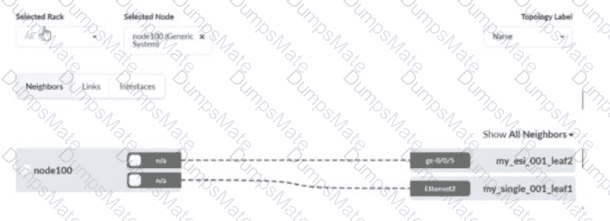
Generic systems (internal or external) can also be tagged. Apstra documentation explicitly describes using tags to specify roles for internal generic systems, enabling you to differentiate server types or attachment roles and then apply the correct intent (connectivity templates, VN attachments, or policies) in a repeatable way.
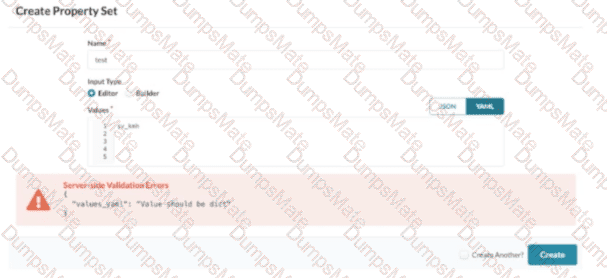
By contrast, property sets are structured data objects used for parameterization (YAML/JSON values for templates/probes), and device profiles describe hardware/NOS capabilities; they are not the standard blueprint objects for tag assignment in this scenario.
Verified Juniper sources (URLs):
https://www.juniper.net/documentation/us/en/software/apstra5.1/apstra-user-guide/topics/task/tag-virtual-network-update.html
https://www.juniper.net/documentation/us/en/software/apstra5.1/apstra-user-guide/topics/topic-map/tag-interface-add-remove-datacenter.html
https://www.juniper.net/documentation/us/en/software/apstra5.1/apstra-user-guide/topics/topic-map/internal-generic-system-create.html