From the exhibits:
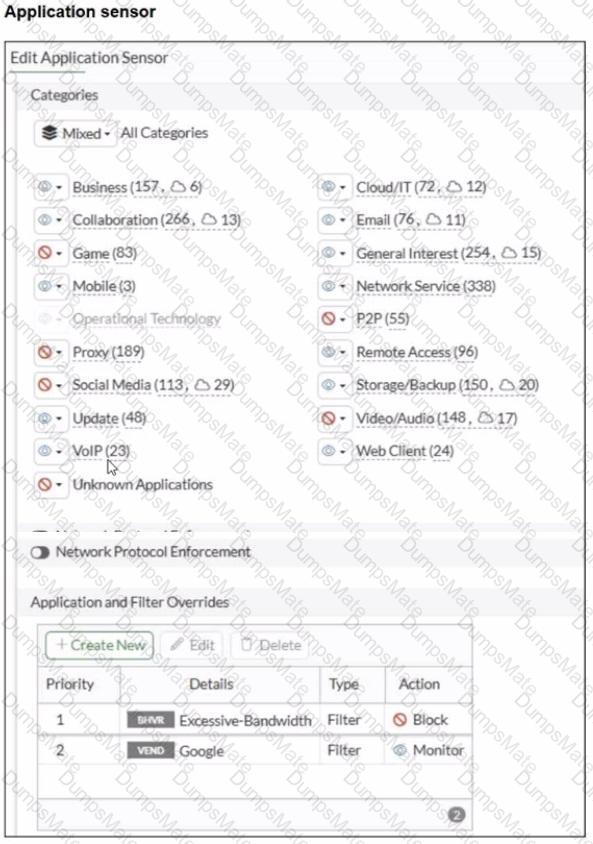
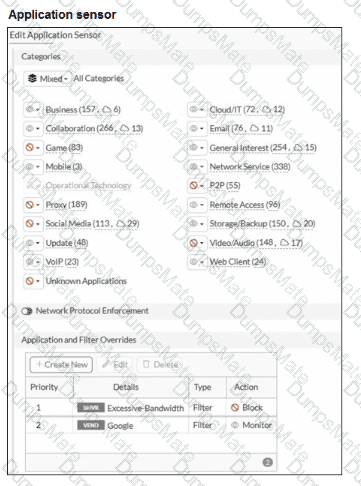
The Application Control sensor has these key settings:
Application and Filter Overrides
Priority 1: Excessive-Bandwidth (Type: Filter) with Action Block
Priority 2: Google (Type: Filter) with Action Monitor
Category actions shown include Social Media set to Block (this category includes Facebook).
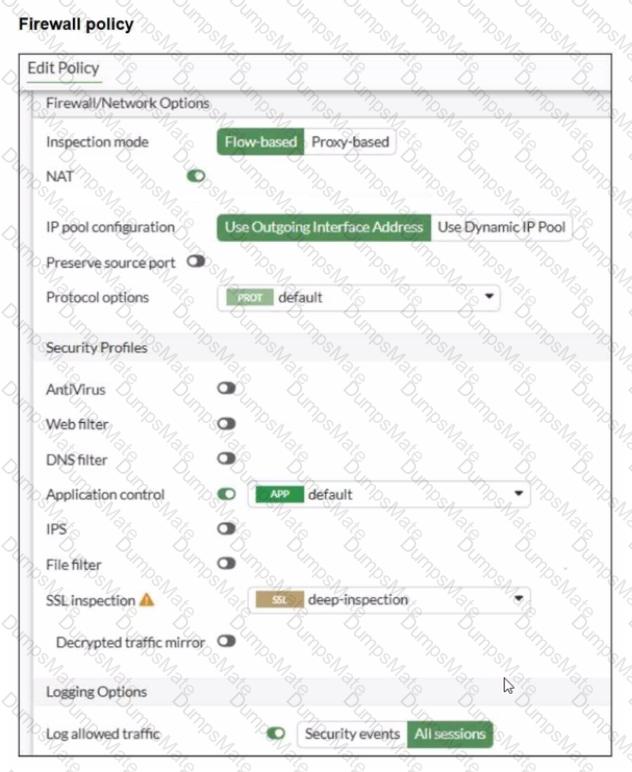
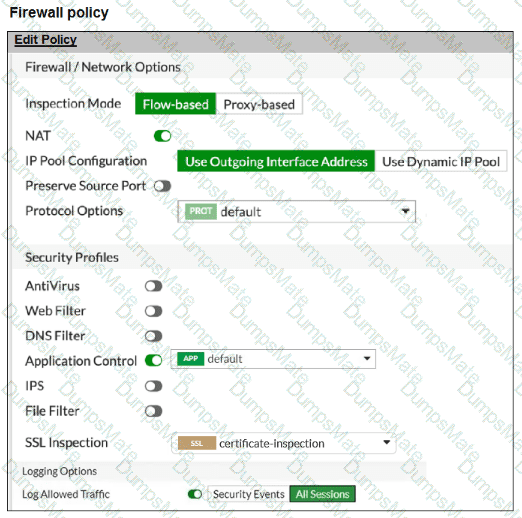
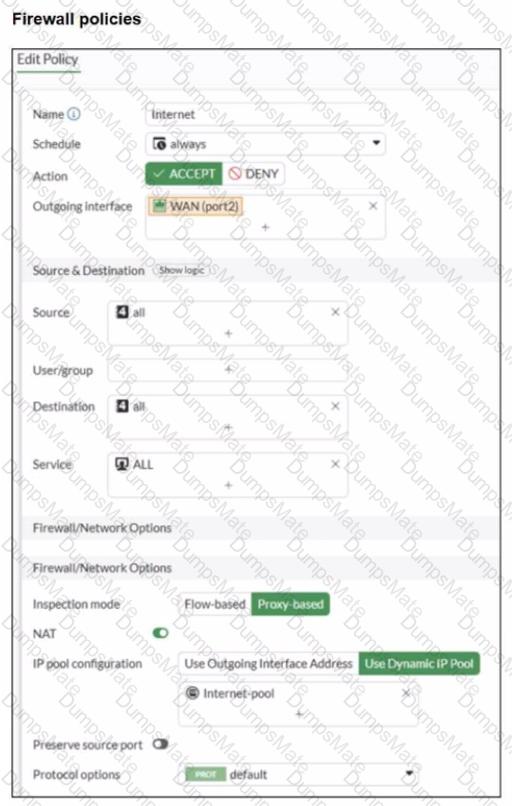
The firewall policy is using:
Flow-based inspection
Application control enabled (profile: default)
Deep inspection enabled (helps identify applications inside HTTPS)
Logging enabled
FortiOS applies Application Control as follows (top-down within the Application Control profile):
Overrides are evaluated by priority (highest priority first).
The first matching override determines the action (block/monitor/allow) for that traffic.
Category-based actions apply to applications that fall into those categories unless an override matches first.
Why A is correct
A. YouTube access is blocked based on Excessive-Bandwidth Application and Filter override settings.
The profile explicitly blocks the Excessive-Bandwidth behavior filter at the highest override priority.
When YouTube traffic is detected as matching the Excessive-Bandwidth behavior, FortiGate will apply the Block action due to the override.
Because this is a priority override, it is enforced before lower-priority entries.
Why B is correct
B. Facebook access is blocked based on the category filter settings.
The Application Sensor shows Social Media configured with a Block action.
Facebook is categorized under Social Media, so it will be blocked when matched by Application Control.
Why C is not correct
C. Facebook access is allowed but you cannot play Facebook videos...
Since the Social Media category is set to Block, Facebook would be blocked at the category level (not merely video playback).
Why D is not correct
D. YouTube search is allowed based on the Google override...
The Google override action is Monitor, not Allow.
“Monitor” logs/detects but does not override a block condition to “allow” traffic.
Also, YouTube traffic is not guaranteed to be treated as “Google” in a way that would permit it, and any matching block condition (such as Excessive-Bandwidth) would still take precedence.